LPB Piso WiFi Login: 10.0.0.1 Portal, Pause Time and Admin Login Setup
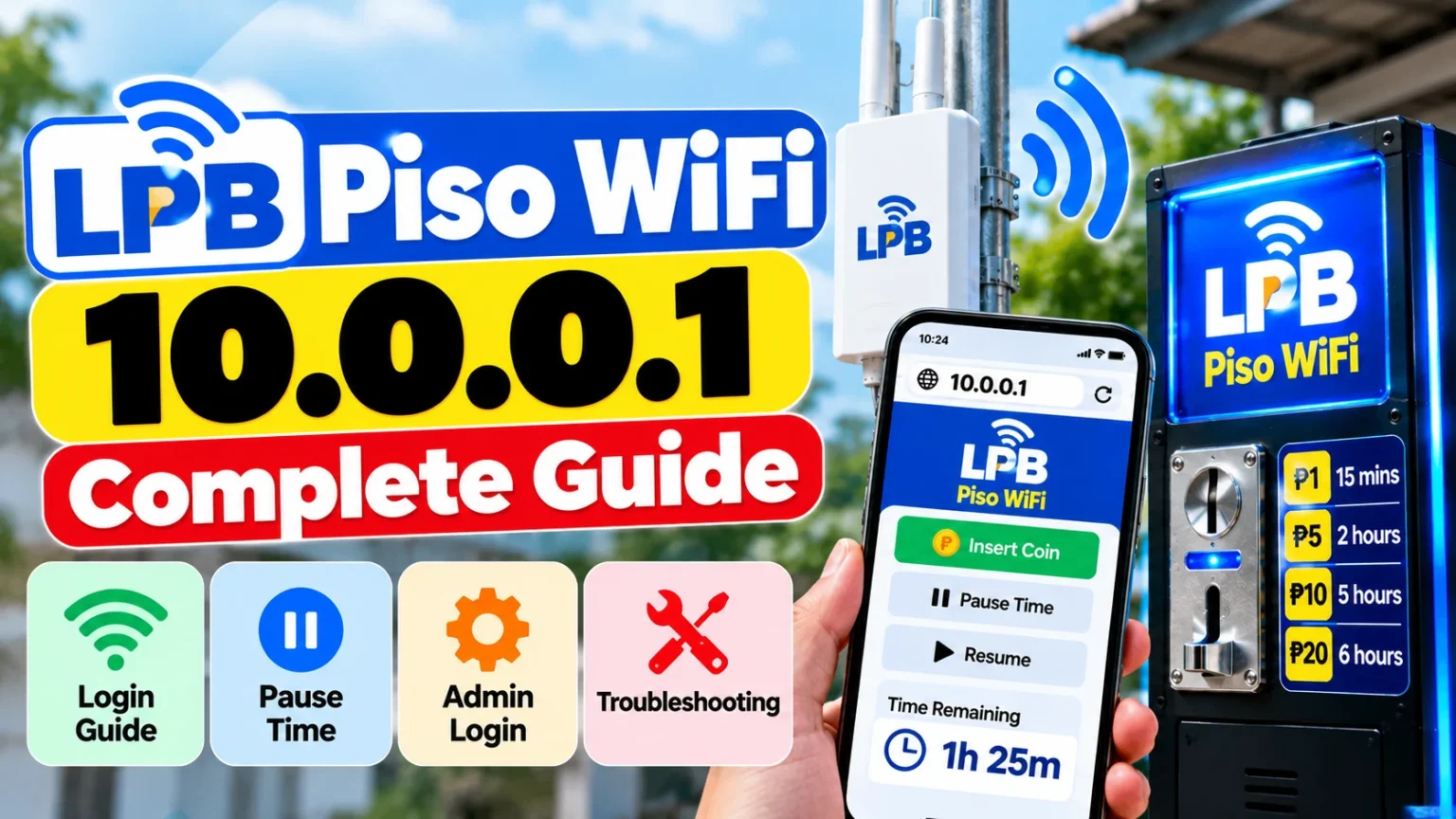
LPB Piso WiFi is a coin-operated internet vending platform in the Philippines. It allows entrepreneurs to earn income by providing affordable WiFi access. Customers can purchase internet time through a local portal, while machine owners manage supported settings and business operations.
The LPB app & Kiosk app, developed by LPB Trading Corporation, also advertises mobile load, e-PINs, and bill-payment services for kiosk operators.
What Is LPB Piso WiFi
It enables business owners to monetize their internet connection through time-based Wi-Fi access. Depending on the machine’s configuration, customers can pay using coins or supported electronic payment methods.
Some features include.
- Coin-operated internet vending.
- A customer portal for purchasing and managing internet sessions.
- Pause time functionality on supported machines.
- Configurable internet rates and session settings.
- Administrative tools for managing the vending system.
- Opportunities to offer additional kiosk services.
Business profitability depends on customer demand, internet costs, equipment, electricity, maintenance, and pricing.
How to Access the LPB Piso WiFi Login Portal
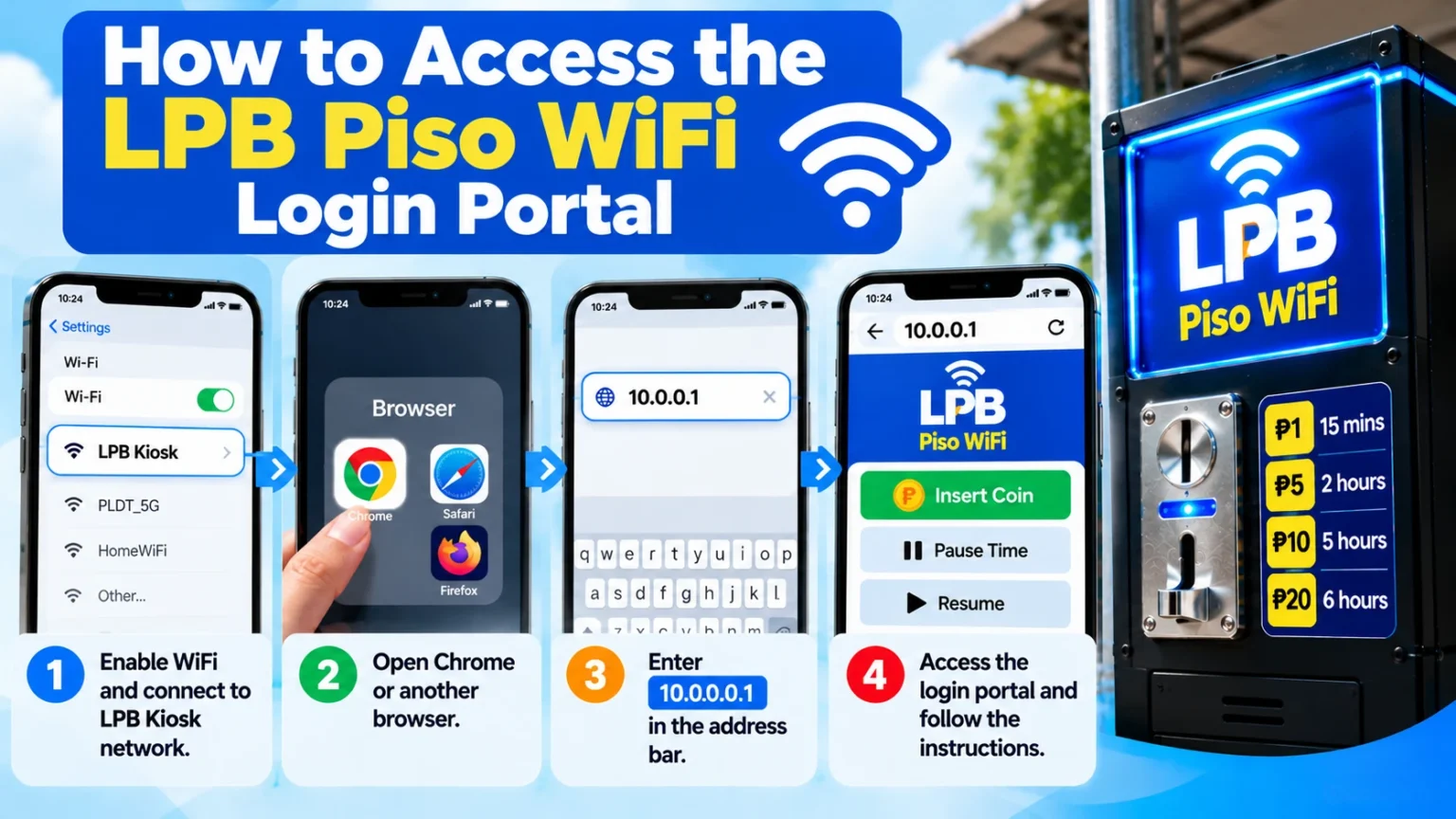
The commonly used customer portal address is : http://10.0.0.1
Go to the LPB app login page:
- Enable WiFi on your smartphone or computer.
- Connect to the specific Kiosk network.
- Open Chrome or another browser.
- Enter http://10.0.0.1 in the address bar.
- Follow the instructions to buy internet time or manage your session.
Use HTTP rather than HTTPS if the local portal does not support HTTPS. If the page fails to load, verify the gateway address with the machine that is working because some installations use different IP addresses.
LPB Piso WiFi Pause Time Feature
Temporarily, the pause time feature permits customers to stop an active session and maintain their remaining minutes, provided the machine supports this function. To pause your session, go to the customer portal, locate your active session, and select Pause. When you return, reconnect to the network and follow the portal’s instructions to resume.
Pause Time Limit
Some setups may permit approximately 30 to 60 minutes of pause time, while other systems may automatically expire paused sessions within 24 hours. These are possible settings, not universal limits. The actual time and expiration rules depend on the machine’s firmware and administrator configuration.
LPB Piso WiFi Admin Login
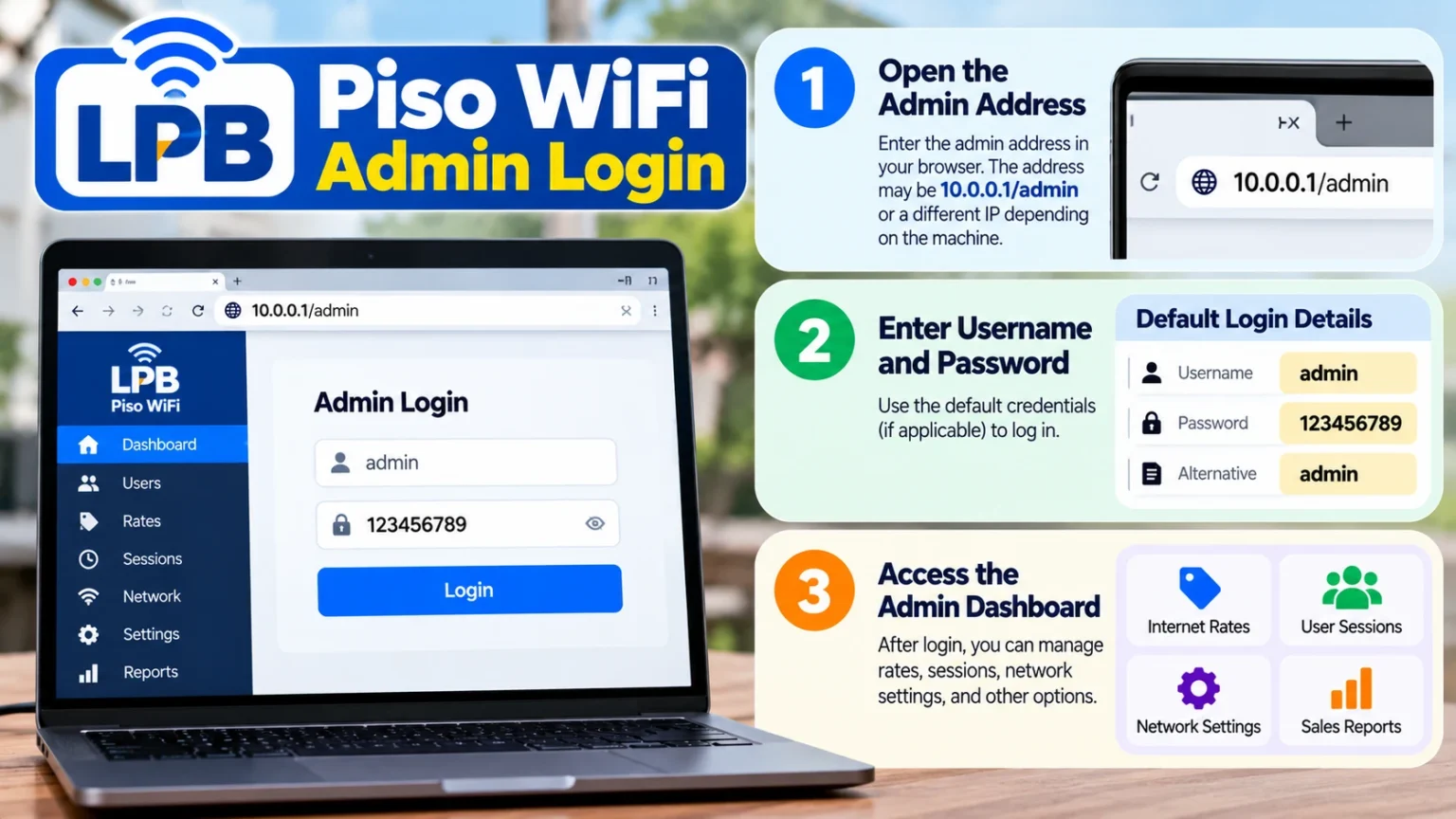
The administrator link allows authorized owners to manage supported system settings. This includes internet rates, session rules, network configuration, and available sales information. The original instructions provide this admin address:
http://10.0.0 So, this shows to be an incomplete IPv4 address and should be verified before use. The customer portal at http://10.0.0.1 is not certainly the administrator dashboard.
Default Admin Username and Password
Some installations are Reported default credentials
Username: admin
Password: 123456789
Alternative password: admin on certain firmware versions.
These certificates may not work on every machine. Consult the machine documentation if necessary. Owners should change default credentials to a strong, unique password and restrict administrator access to authorized users.
How to Fix LPB app 10.0.0.1 Not Opening
If the login page does not load, try these solutions:
- Check your WiFi connection: Connect to the correct Kiosk network instead of another WiFi connection or mobile data.
- Turn off your VPN temporarily: VPN routing may meddle with access to the local gateway.
- Check Private DNS: On Android, find Private DNS in network settings and temporarily switch to Automatic or Off if necessary.
- Use HTTP: Enter http://10.0.0.1 rather than forcing HTTPS. Local portals may not have publicly trusted SSL/TLS certificates, and HTTP traffic is not encrypted.
- Confirm the gateway IP: Ask the operator for the correct address if 10.0.0.1 does not work.
- Reconnect and refresh: Reconnect to WiFi, reopen the browser, or try another browser.
If the problem continues, the machine may be offline-configured. Contact its operator for aid.
Features of LPB app & Kiosk App
According to the supplied Google Play Store, these apps are published by LPB Trading Corporation and are classified under Tools. Its description shows it as an all-in-one application for LPB kiosk operators and Piso WiFi owners. They run their businesses, serve customers, and earn commissions from their phones.
The promoted Sell & Earn services include:
- Mobile load: Smart, SmartBro, Globe, TM, DITO, TNT, and GOMO.
- e-PINs: Electronic PIN products available via the app’s supported catalogue.
- Meralco bill payments: Bill-payment services for Meralco.
- Other billers: Additional bill-payment options are used for purchasing
The options for available products, transaction fees, commission rates, and payment are different. Check the app for the services available to your account.
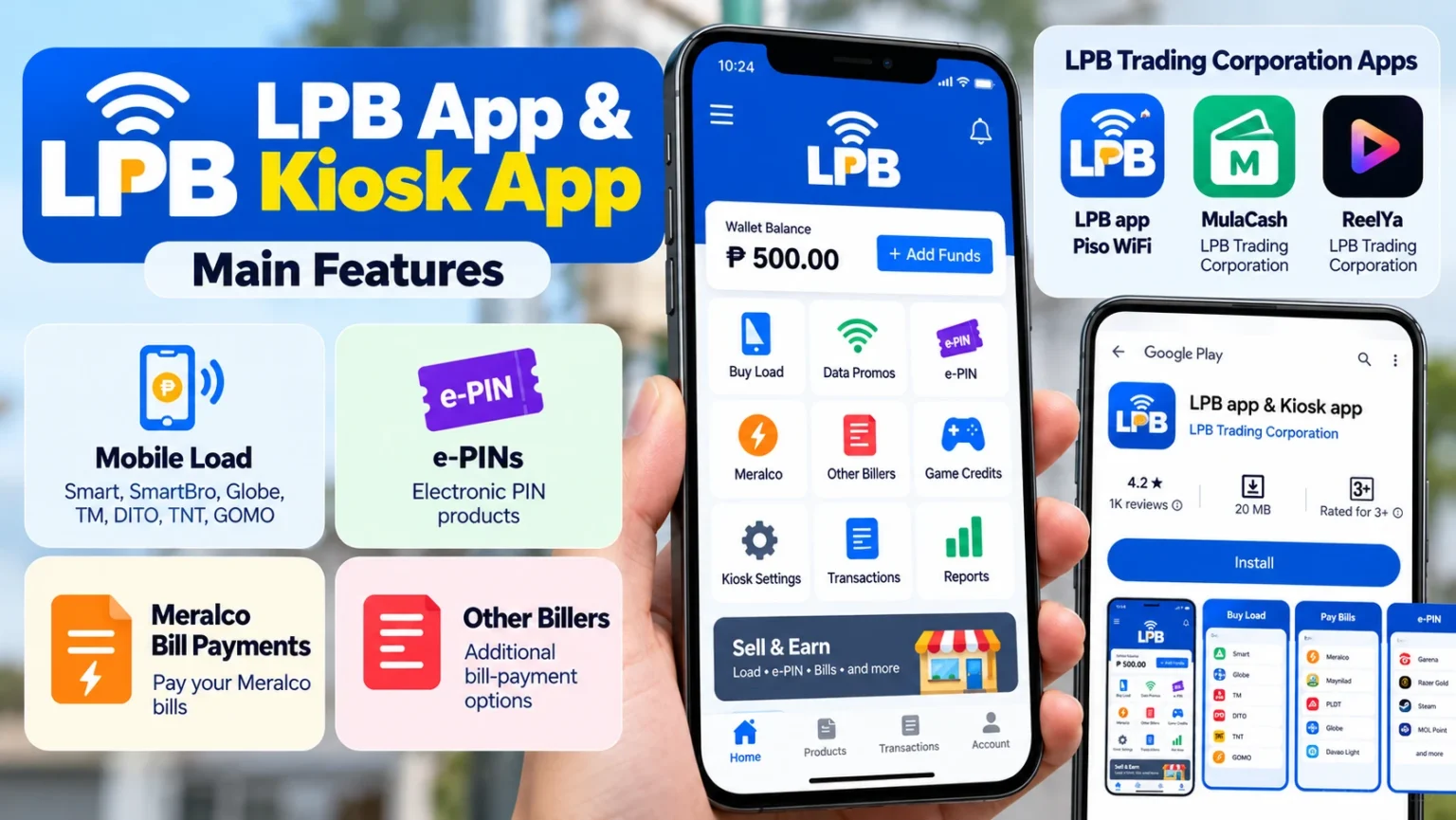
Here are two related applications from LPB Trading Corporation: MulaCash and ReelYa. It does not establish that they share the same features or account system.
LPB App Update and Data Safety
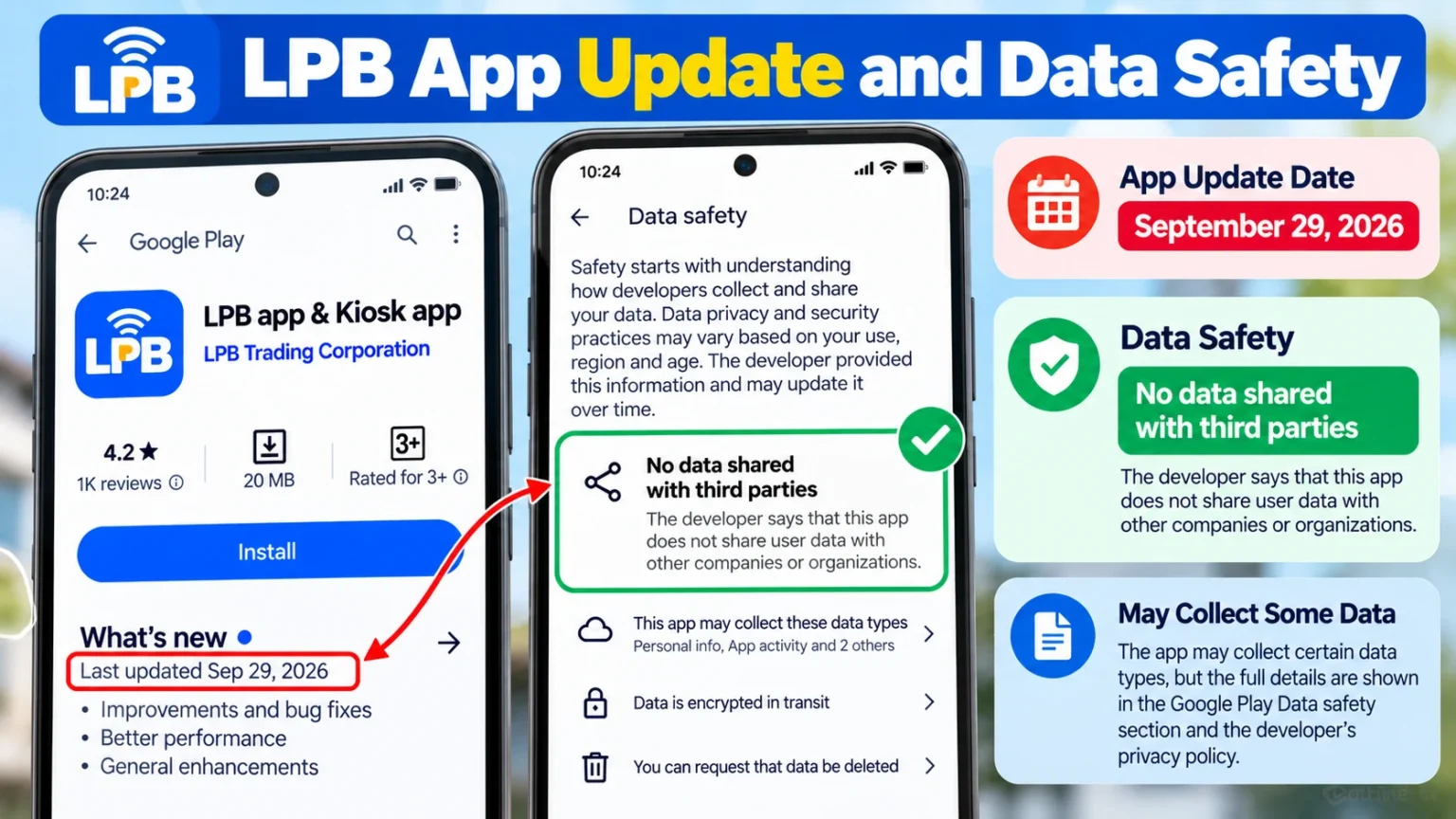
The LBP app’s update date is September 29, 2026. The visible Data safety section states “No data shared with third parties.” It also shows that the app may collect certain data types, but the particular categories are cut off in the screenshot.
It means the visible statement should not be taken as confirmation that the app collects no personal information. For complete details, review the current Google Play Data safety section and the developer’s privacy policy.
Kioskapp is a good business opportunity
LPB Piso WiFi may suit founders who want to offer reasonable internet access in locations with ample demand. Additional services through the LPB app may provide further business opportunities.
Before investing, consider:
- Customer traffic and location.
- Internet subscription and electricity costs.
- Equipment, maintenance, and network coverage.
- Competitive pricing and operating expenses.
- Available commissions and fees for kiosk services.
- Network security and administrator access.
LPB Piso WiFi does not ensure passive income. Actual earnings depend on sales, costs, service reliability, and business management.
Conclusion
LPB Piso WiFi combines time-based internet vending with administrative tools for handling supported machine settings. Customers can use the 10.0.0.1 portal to buy internet access and, where available, pause their sessions. Owners should verify their administrator address, secure their certificates, and use the correct troubleshooting steps when the portal fails to load.
This app extends the advertised business services through mobile load, e-PINs, Meralco bill payments, and other billers. By checking machine-specific settings and the app’s current terms, customers and operators can make better use of the platform.
2 Comments